

Tracing
tracing is used to record the internal processes of Rspack compilation, which can be used for performance analysis as well as narrow down the location of a bug.
Enabling tracing
Tracing can be enabled in two ways:
- If using @rspack/cli or Rsbuild: Enable it by setting the
RSPACK_PROFILEenvironment variable:
- If directly using
@rspack/core: Enable it throughrspack.experiments.globalTrace.registerandrspack.experiments.globalTrace.cleanup. You can check how we implementRSPACK_PROFILEin@rspack/clifor more information.
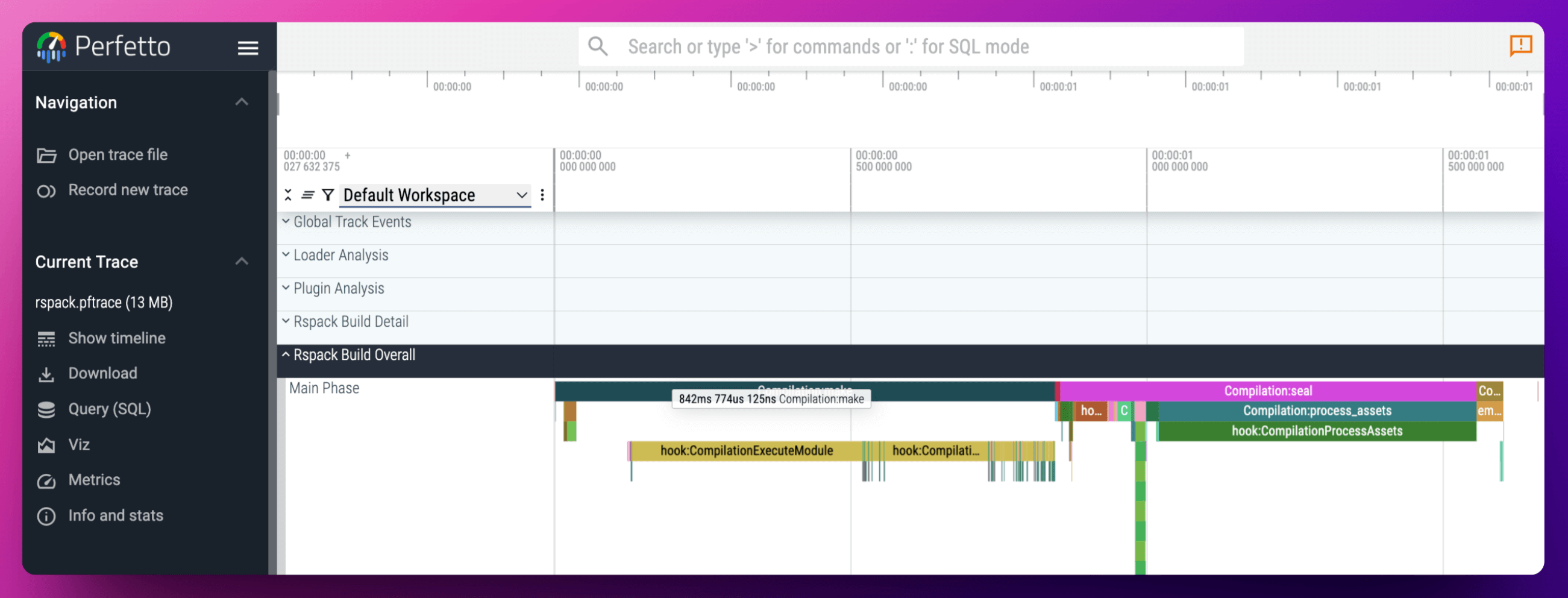
When the perfetto layer is enabled, the generated rspack.pftrace file can be viewed and analyzed in ui.perfetto.dev:
Tracing layer
Rspack supports two types of layers: perfetto and logger:
logger: The default value, writes JSON Lines logs to a file, suitable for simple log analysis. In CI environments, upload or print the generatedrspack.log, or setRSPACK_TRACE_OUTPUT=stdout/stderrexplicitly to stream logger output.perfetto: Only available when using@rspack-debug/core. It generates arspack.pftracefile conforming to theperfetto protoformat, which can be imported into Perfetto for complex performance analysis
@rspack-debug/core is a diagnostic variant of @rspack/core that includes extra debugging and tracing capabilities such as the perfetto layer. Use it when you need to collect Perfetto traces for local investigation, not as the default package for normal builds.
You can specify the layer through the RSPACK_TRACE_LAYER environment variable:
Tracing output
You can specify the output location for traces:
- The default output for the
loggerlayer is.rspack-profile-${timestamp}-${pid}/rspack.log - The default output for the
perfettolayer is.rspack-profile-${timestamp}-${pid}/rspack.pftrace
You can customize the output location through the RSPACK_TRACE_OUTPUT environment variable:
When RSPACK_TRACE_OUTPUT is a relative file path, it is resolved inside the generated .rspack-profile-${timestamp}-${pid} directory. Absolute paths are used as-is. For the logger layer, set it to stdout or stderr explicitly if you need terminal output. The perfetto layer always requires a file path.
Tracing filter
You can configure the data to be filtered through RSPACK_PROFILE. Rspack provides two preset options:
RSPACK_PROFILE=OVERVIEW: The default value, only shows the core build process, generating a smaller JSON fileRSPACK_PROFILE=ALL: Includes all trace events, used for more complex analysis, generating a larger JSON file
Apart from the presets, other strings will be passed directly to Env Filter, supporting more complex filtering strategies:
Tracing level filter
The supported tracing levels are: TRACE, DEBUG, INFO, WARN, and ERROR. You can filter by level:
Module level filtering
Mixed filtering
EnvFilter supports mixed use of multiple filtering conditions to implement more complex filtering strategies: